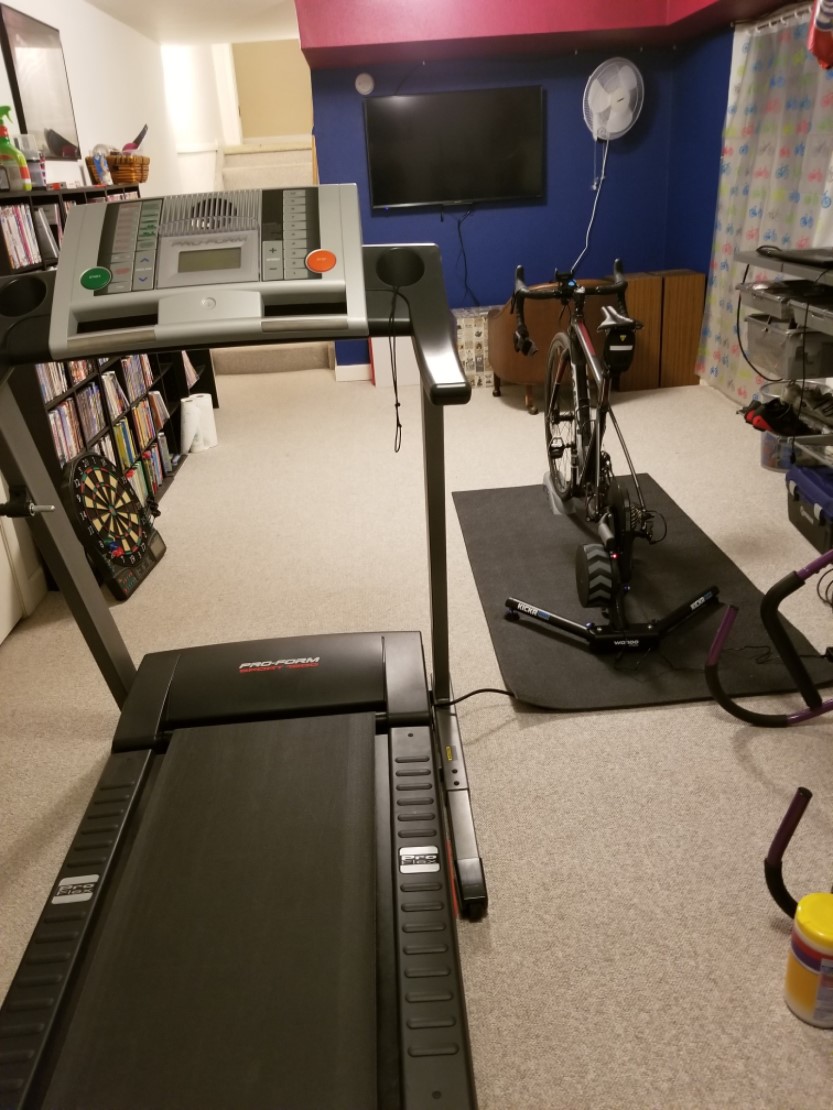
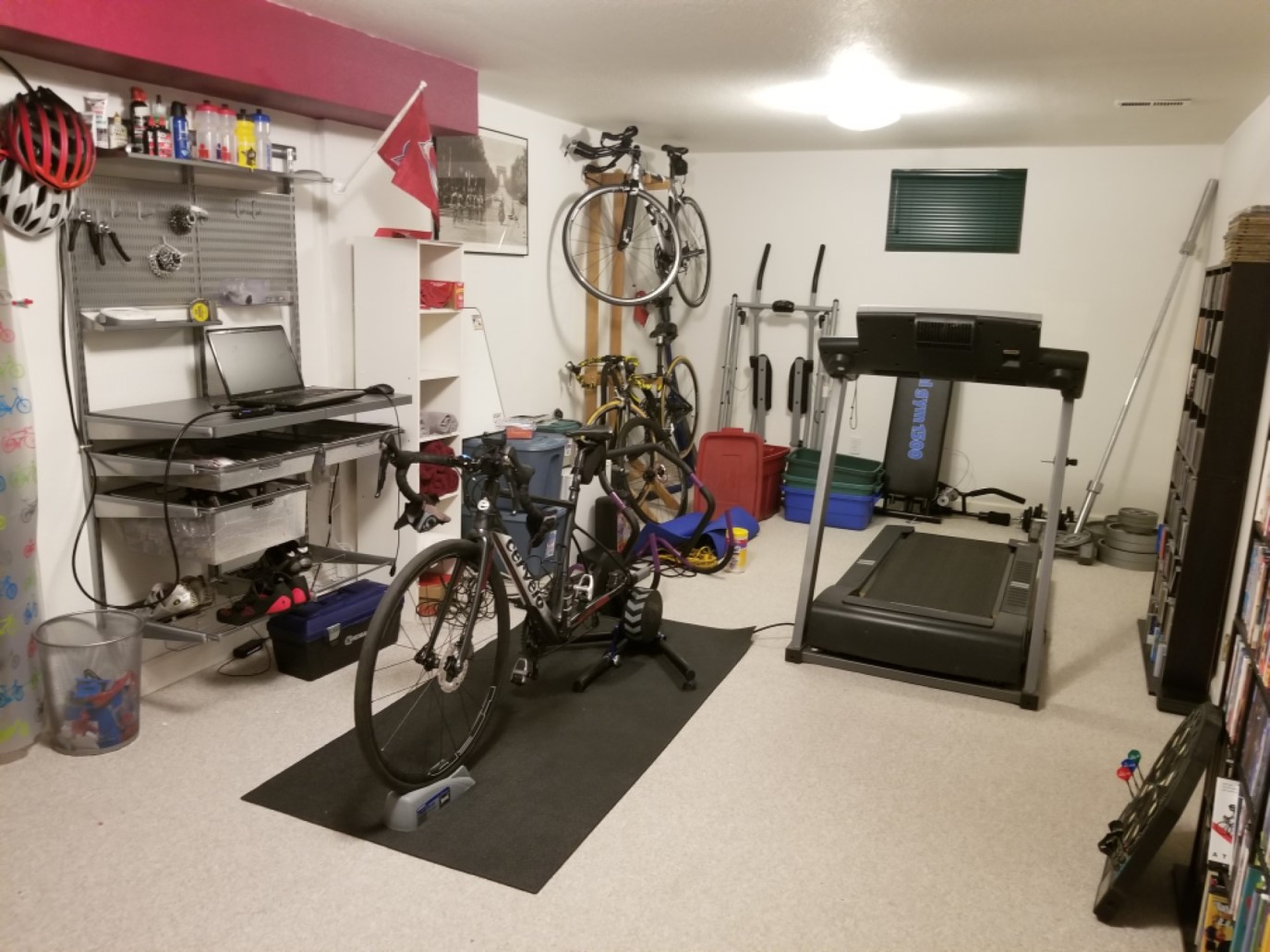
Computrainer with rocker plate. 2x 27inch monitors mounted to the wall in front, one on top of the other. Zwift in one screen and usually watch something on the other, or just play pandora or Spotify. I use some cheap bluetooth Beats knockoffs for sound.
Treadmill has a single 27inch screen mounted on the wall. iPad with HDMI cable to power it. Milestone pod for cadence. External speaker for sound or I use my other headphones.
Elite Direto, iMac running Zwift with ANT+ adapter, nutrition on me, bottles on the bike to replicate racing and two small fans pointed at me (about 45 degree angle on each side). If need be I will use my Wahoo Bolt but normally I don’t need it.
Super easy assuming you have an HDMI port on your laptop (most laptops have them these days). All you need is an HDMI cable. To get the laptop screen onto your TV you just plug in the HDMI cable to the laptop and the TV, switch your TV input to whatever HDMI port you are using and that’s it. $8 will get you a 10 foot long HDMI cable on Amazon
Can anyone recommend a good cable/cord that can work to stream/connect my laptop (with Zwift) to my Smart-TV? And no, I do not have apple TV.
3.2.0
Would need to know what ports are on your laptop. A lot of newer ones simply have an HDMI port, which makes life easy. Don’t spend a lot, something cheap from amazon or monoprice will work (depending on the length, don’t spend more than $10)
One thing I would prefer sometimes is to run Zwift on an iPad. My understanding is that you can swipe away some of the information displays and clean up your view.
Sometimes I’d just like to look around and see the scenery like on the way up Alp du Zwift. I have been unable to do that with a PC and don’t think it is possible.
TT bike on Elite Direto. Also have crank based PM but been using the Elite for power source.
Fairly modest spec gaming PC running Windows 10 running Zwift. Suunto ANT+ (FE-C) usb dongle. HDMI to telly on the wall. Smart phone (android - galaxy s9) mounts on my extensions in one of those arm bands with the clear plastic window, works great as I can use the Zwift companion app to control things.
Got a wireless keyboard for setup and typing messages etc which rests on the display panel on the wife’s cross trainer to my left.
One pedestal fan dead centre and I’ve since added x2 Honeywell HT900E floor fans pointing up from either side. I’ve got them rigged to remote power sockets (dead cheap from amazon) and velcro tape the controller to my stem so I can turn extra cooling on/off from on the bike.
What else? Bog roll on the x-trainer arm so I can blow my nose instead of snot rocketing.
I converted a spare bedroom. Carpet was removed and interlocking rubber squares from Home Depot installed. A 32" gaming monitor is on the wall low. Above that is a sound bar, and above that is a 32" smart TV with Netflix and Sirius XM apps installed. Mounted on the wall beside the screens is an Alienware Alpha I7 with 64 gig memory, a 256 gig SSD boot drive, a 2tb hard drive, and a GTX 1080 video card.
The bikes hang on a wall when not used. A Cyclops Magnus trainer and a Wahoo trainer table complete that part. Two remote control fans are mounted high on the front wall on either side. Shelves and hooks complete the room since it doubles as he running and swimming gear storage area.
With the door shut you can barely hear someone training in the living room.
My setup is pretty basic. Win 10 laptop with a USB ANT+ adapter on a tray table. Setup is in our bonus room, so shared with a sofa, chairs and a big TV. Tacx Vortex Smart. Dedicated, but ancient Cannondale bike - 6 speed, downtube shifting! Rigged with clip on aero bars. Cheap BT earbuds. Also use a Garmin 920xt to record everything and deliver to Garmin Connect. Use this with Zwift some, mostly Sufferfest. Cheap pedestal fan.
I run Zwift either through my iPad or through Apple TV on a wall mounted 43" flat screen. The iPad set up is a lot quicker and easier, plus I hate the Apple TV remote. But for longer rides or if I’m feeling like I want a more immersive experience, I’ll run it through the TV. I’ll also use the TV for Netflix/DirectTV Now/YouTube as well.
Can you have zwift and Netflix/Direct/YouTube on the tv screen at the same time, say with zwift overlayed in the corner or do you use the iPad screen for zwift while watching other content on the tv?
Decade-old Ridley TT bike with Sram shifters that work sometimes.
Insideride model F rollers. Awesome. Also have a set of Elite rollers and a Kreitler Killer for high resistance stuff, but haven’t used it since I got the InsideRide.
Stages PM on Bluetooth
iPad working on WiFi from the house. Not far, but drops out a lot even with a booster. Funnily enough, talked to internet provider last night and renewed. Performance this morning was MUCH better.
iPad on music stand
Bluetooth headphones off Amazon, connected to Spotify for lots of random Swedish folk music
12" fan on a small ladder to side and front of me. It’s not nearly enough. By the end of an hour today, I’d soaked my underlayer, and the teatowel (I’m going to be in the doghouse for that) and left a great puddle on the ground. The garage is also a hell-hole in summer - perhaps I should be outside more, but it’s still 15-20 mins minimum to get to a road that I’d feel slightly comfortable with doing pieces on.
A load of 50cm^2 garage tiles donated to me by a friend make it a reasonably sound absorbent environment. The neighbours haven’t complained even with sessions starting 0545.
Future directions? Nothing much more than a better fan, and ensuring I’ve got a matched position to my race bike. Which gets used in races only - I don’t think it’s done 100km yet.
Smart trainer is a possibility, but I’d rather go the InsideRide version, but can’t justify it against race fees/travel/repayments/race wheels!
Mounted on the wall beside the screens is an Alienware Alpha I7 with 64 gig memory, a 256 gig SSD boot drive, a 2tb hard drive, and a GTX 1080 video card.
Holy mackerel. Please tell me you are doing much higher end stuff than Zwift. I thought my 9570 was overkill…